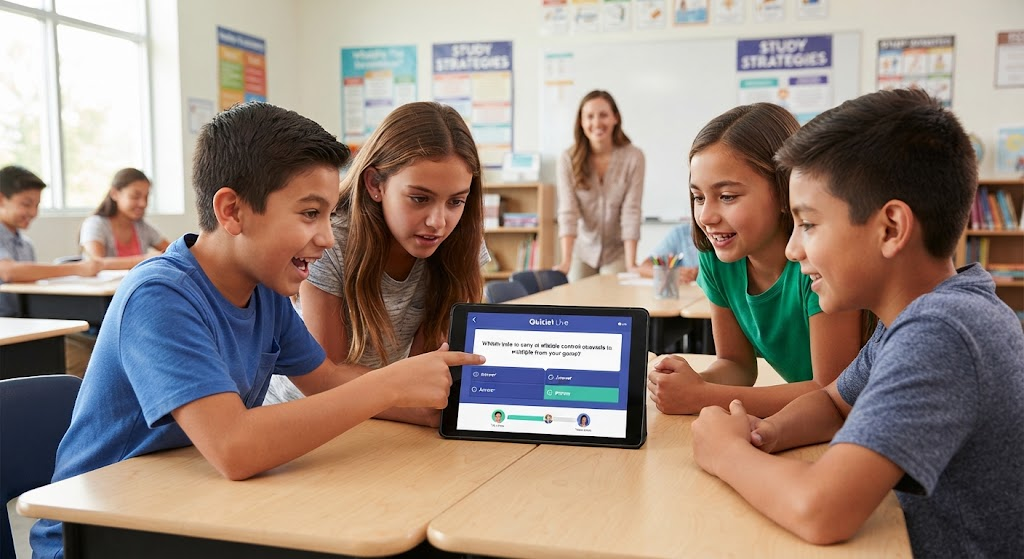
What is Quizlet Live? A Guide to Classroom Engagement
Problem: Traditional flashcard drills often leave students feeling bored and disengaged during review sessions.
Agitation: When learners lack motivation, retention drops, and classroom energy fades, making it difficult to prepare them for upcoming assessments.
Solution: Quizlet Live solves this by turning any study set into a high-energy, collaborative competitive game that demands active participation and teamwork from every student.
Table of Contents
What Exactly is Quizlet Live?
Quizlet Live is an interactive, gamified learning feature within the Quizlet platform designed to foster collaboration. It converts digital flashcard sets into a real-time quiz game where students must work together to match terms and definitions correctly. Teachers use this tool to turn passive review into an active, social experience that improves content retention.
Why Teachers Choose This Game for Review
The primary strength of Quizlet Live lies in its ability to shift the classroom dynamic from individual isolation to group problem-solving. By requiring students to communicate, you naturally build soft skills like leadership, active listening, and patience.
Key Benefits for the Modern Classroom
- Boosts Engagement: The fast-paced nature keeps students focused and excited.
- Encourages Collaboration: In team mode, students must talk to identify the correct answer.
- Formative Assessment: Teachers can instantly identify which terms students struggle with based on game data.
- Universal Compatibility: It works for any subject, from foreign languages to complex scientific vocabulary.
How to Get Started with Quizlet Live
Setting up a game is straightforward and takes less than two minutes once you have your study materials ready.
1.Select Your Study Set:Choose or create content.
Log into your teacher account and open the specific study set you wish to use.
2.Launch the Game:Find the Live button.
Click the Live icon on the left-hand sidebar of your set’s page.
3.Choose Your Mode:Teams vs. Individuals.
Select either Teams (randomly assigned groups) or Individuals (everyone plays solo).
4.Join the Session:Share the code.
Direct students to quizlet.live on their devices and have them enter the unique 6-digit game code.
Understanding the Two Main Game Modes
Choosing the right mode depends on your specific lesson goals and the physical layout of your classroom.
| Mode | Best For | How It Works |
| Teams Mode | Building social skills | Students are grouped; only one person has the correct answer. |
| Individuals Mode | Assessing personal grasp | Each student competes solo against the rest of the class. |
Creative Ways to Play Quizlet Live
Beyond the standard settings, many educators experiment with variations to keep the game fresh throughout the semester.
- The “Silent” Variant: Students must communicate using only hand signals, which builds intense focus.
- The Relay Race: Teams rotate students, requiring them to move physically to the designated computer.
- Tag Team: Half the team sits and half stands, with standers tapping the sitters to indicate who should answer.
Is Quizlet Live Free to Use?
Yes, Quizlet Live is available for free to all teachers with a standard account. While a premium “Quizlet Plus for Teachers” subscription offers advanced features—such as custom image uploads and detailed progress tracking—the core gameplay functionality remains accessible for everyone.
Best Practices for Classroom Success
To ensure your Quizlet Live session runs smoothly, prepare your students before the game begins.
- Define Expectations: Set ground rules for volume and movement if playing active variations.
- Shuffle Often: Change team groupings frequently so no student feels stuck with a “slow” team.
- Debrief: After the game, spend five minutes reviewing the most missed questions to clarify concepts.
Frequently Asked Questions
Can students play Quizlet Live at home?
Yes, you can host a game remotely via video conferencing tools by sharing your screen while students join from their own devices.
How many students are needed for a game?
You need at least two players to start a game, though it is most effective with groups of three or more.
Does it require a specific app?
No, teachers start the game from a web browser, and students simply navigate to quizlet.live to join.
Can I track student progress?
Yes, with a Quizlet Plus for teachers subscription, you gain access to formative assessment data showing exactly which terms students missed.
What happens if a student misses a question?
In team mode, the team’s score resets to zero, encouraging students to be careful and deliberate with their choices.
Is Quizlet Live suitable for all grades?
Absolutely. It is widely used from elementary through university levels because the content difficulty is entirely determined by the study set you choose.
Conclusion
Log in to your teacher account, pick a set, and start your first Quizlet Live game today. Experience firsthand how quickly a little friendly competition can turn your classroom into a hub of excitement and learning!
You Main Also Read More : Quizlet Live